
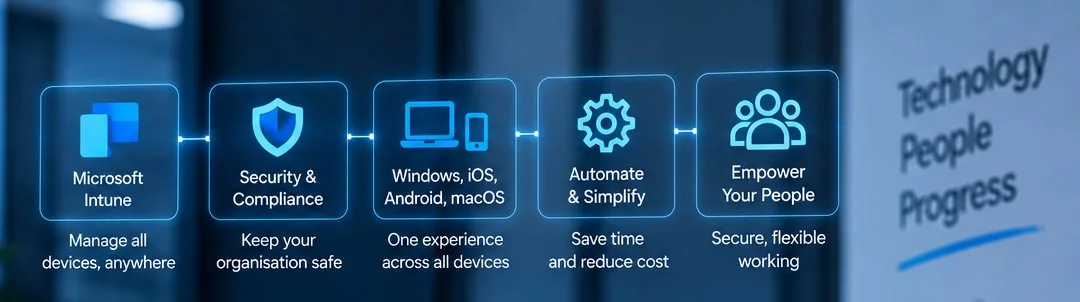
Device management in London, from the first day to the last
A device is a small thing until you multiply it by forty people and three years.
Logic Networks manages the laptops, desktops, tablets and mobiles your organisation depends on. That covers buying them, setting them up, keeping them updated and protected, replacing them on a plan and disposing of them so your data does not leave with them.
We work with organisations across London and the rest of the UK, including teams where half the devices are in an office and half are on a kitchen table.
The aim is a set of devices that behave the same way as each other, so a fault is a known fault rather than a unique one.
The device nobody manages is the one that causes the incident.
A personal laptop used for work, a machine that was never enrolled, or a phone with company mail on it and no screen lock. None of them appear in a report, which is the problem.
- Every device in one list, with an owner and an age
- New machines arriving configured rather than empty
- Encryption on, so a loss is not a breach
- Replacement dates known a year in advance
What is included
Six pieces of work, covering the whole life of a device.
Organisations usually start with the first two and add the rest as the fleet grows past the point where anybody can remember what exists.
Buying and setting up
Ready to work on the first morning.
We specify machines for the work rather than to a price, source them, and set them up with your applications, your accounts and your security settings before they reach the person.
A new starter should sign in and find their mail, their files and their printer. Handing somebody an empty box and an afternoon is the most expensive way to save money on a laptop.
Enrolment and management
Every device known and reachable.
Devices enrolled so they can be configured, updated and, if necessary, wiped without somebody physically holding them.
This is also what lets us answer the question every security questionnaire asks: how many devices do you have, and are they all protected. Without enrolment the honest answer is that nobody knows.
Protection and encryption
A lost laptop is an inconvenience, not a breach.
Endpoint protection on every machine, disk encryption so the data is unreadable if a device is taken, screen locks that apply automatically, and the ability to wipe one remotely.
Encryption is the control that changes the consequence of a loss. It costs nothing on modern hardware and it is switched off on most machines we take over.
Mobiles and tablets
Company mail without owning the phone.
Company mail and files on a phone, with the work data kept separate from the person’s own photographs and messages.
That separation matters when somebody leaves. We remove the work side and leave the rest alone, which is both the correct thing to do and the only version staff will agree to on a personal phone.
Updates and repairs
Current, and fixed when it is not.
Operating system and application updates applied in planned windows, with evidence that they landed, plus the warranty claims and repairs when hardware fails.
We keep loan machines available where the work cannot wait for a repair, so a broken laptop is a half day rather than a week.
Replacement and disposal
Planned, and wiped properly.
A record of every device with its age, so replacements appear in a budget rather than as a surprise, and a rolling plan rather than a single expensive year.
At the end, machines are wiped to a standard and disposed of through a recycler who issues a certificate. Company data does not leave the building on an old disk.
How it works
Three arrangements, from one purchase to the whole fleet.
The middle option is where most organisations start, usually because a security questionnaire or an insurer asked a question they could not answer.
Tell us roughly how many devices you have and how many of them you could name. That answer decides which arrangement fits.
-
Supply and set up
You tell us what you need, we specify, source and configure it. One invoice, no ongoing commitment.
-
Get the fleet under control
A one off piece of work: everything enrolled, encrypted, protected and recorded, with a replacement plan at the end of it.
-
Managed devices
The whole life of every device handled as part of managed IT, including joiners, leavers, repairs and disposal.
Who it is for
Device management becomes necessary somewhere around twenty machines, which is the point at which no single person can hold the list in their head any more.
It becomes urgent when somebody loses a laptop, when a client asks how your devices are protected, or when a team starts working from home on their own equipment.
- Businesses whose laptops were bought one at a time over five years
- Charities and non profits with donated or mixed equipment
- Education organisations managing staff devices alongside shared ones
- Teams working from home, including on their own machines
- Organisations that have just lost a device and want it not to matter next time
- Anyone asked to prove their devices are encrypted and could not
What we need from you
Three things, and the first one is rarely complete.
An incomplete list is fine to start from. Enrolment finds the rest, and nobody is in trouble for a machine that was forgotten.
Whatever list exists
Even a spreadsheet with names and rough dates. We reconcile it against what actually signs in, and the difference is usually the interesting part.
A decision on personal devices
Whether staff may use their own machines and phones for work, and on what terms. This is a policy question, not a technical one, and it has to be answered.
A replacement budget shape
How many machines a year you can afford to replace. We build the rolling plan around that number rather than proposing one large year.
What we usually find in the first audit
These come up in nearly every fleet we take over, and none of them means anybody did anything wrong.
- Devices signing in that are on nobody’s list
- Encryption switched off, or never switched on
- Machines still logged in as a member of staff who left
- Local administrator rights on ordinary users’ machines
- Several different builds, so no two laptops behave the same way
- Mobiles with company mail and no screen lock
- Warranties expired on machines nobody realised were that old
- Old laptops in a drawer, unwiped, with data still on them
Our steps for working together
Getting a fleet under control is a short project with a clear end. These are the stages and what you hold at the end of each.
- Find out what exists Every device that signs in, reconciled against your list and your payroll. The gaps are the point of this stage.
- Agree the standard What a laptop looks like when it leaves us: the build, the applications, the settings, the security. One standard, not one per person.
- Enrol everything Existing machines brought under management, usually without the person losing a working day.
- Close the gaps Encryption on, protection installed, local administrator rights removed, screen locks applied.
- Write the plan Every device with an age and a replacement year, spread so no single year carries the whole cost.
- Run it Joiners, leavers, repairs, updates and disposal handled as routine, with the record kept current.
How we set priorities
Somebody unable to work comes first, then a device that is a risk, then the rest of the fleet. A lost or stolen device is treated as urgent regardless of the hour, because the wipe is only useful before somebody else has used the machine.
Joiners and leavers, done the same way every time
- A joiner is told in advance With a start date and a role, so the machine is ready rather than being built on the morning.
- The device arrives configured Applications, accounts, printer and security settings already applied.
- A leaver has a date Access ends on that date, not when somebody remembers to mention it.
- The device comes back or is wiped For a company machine, collected and rebuilt. For a personal one, the work side removed and nothing else touched.
- The record is updated So the list stays true, which is the only thing that keeps the rest of this working.
Personal devices, and being honest about them
Staff will use their own phones for work mail whether or not there is a policy. The choice is between managing that properly and pretending it is not happening. Managing it means the work data is kept separate, can be removed on its own, and is protected by a lock. It does not mean reading anybody’s photographs, and telling staff that plainly is what gets their agreement.
How to decide what a laptop should cost
Specifying to a price is the most common way organisations spend more than they needed to. A machine bought at the cheapest point tends to be replaced a year early and generates support requests in the meantime.
Three things decide whether a laptop will last. The processor generation, because it sets how long the manufacturer will support it. The memory, because a machine that runs out of it feels broken long before it is. And the storage type, because a mechanical disk makes an otherwise adequate machine unusable.
What rarely matters is the brand, the screen resolution beyond a sensible point, or the graphics, unless somebody is editing video or working in a design application. We specify from the work the person does, then look for the best price on that specification rather than the other way round.
For most office roles the sensible answer in 2026 is a current generation processor, sixteen gigabytes of memory, a solid state disk and a three year warranty on site. That machine costs a little more than the cheapest option and lasts two years longer, which is the whole argument.
What good looks like
You can say how many devices you have and who has each one. A new starter is working within an hour. A lost laptop is a phone call, not an incident report. Replacements are in the budget a year before they are needed. And every machine in the organisation behaves the same way, so a fault on one is a fault you have already seen.
Related services
Devices are where most of the other work becomes visible to your staff, so this sits close to support, security and Microsoft 365.
Where you already buy hardware from somebody you are happy with, we work alongside them rather than replacing them.
- IT support for the faults and questions your team raises
- Microsoft 365 for the accounts and the sign in rules
- Cybersecurity for encryption, protection and the wider layers
- Managed IT for the asset record and the replacement plan
- Backup and disaster recovery for what is stored on the machines
Articles and news on devices and endpoints
Notes on buying, protecting and replacing the machines your team works on.
SharePoint or a mapped drive: choosing where files live
Neither option is the modern one and the old one. They are good at different things. Here are the questions that decide it.
Read the articlePlanning a hardware refresh over three years
Replacing everything at once is expensive and disruptive. A rolling three year plan spreads both, and the list is easier to build than it looks.
Read the articleWhat a monthly IT report should actually tell you
Ticket counts make a report look busy without saying whether anything improved. Here are the five things a monthly IT report should carry.
Read the articleTalk to us about your devices
Tell us roughly how many machines you have and how many of them you could name. We will audit the fleet and come back with the gaps, the standard we would set and a replacement plan that fits your budget.
If a device has just been lost, say so in the first line.